
Company: MarginPoint
Role: UX Designer
Tools: InVision, Overflow, User Flows, High-Fidelity Prototyping
Collaboration: Product Detail Manager & CEO (Onsite)
Project Overview
MarginPoint provides an integrated facilities management platform for multi-site, multi-industry clients — from property management to field service and inventory control.
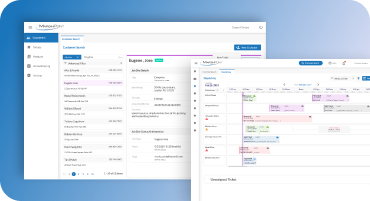
The goal of this project was to design an interface that could display detailed technical information, multiple product images, and complex data structures — all within a clean, user-friendly layout that aligned with the company’s brand standards.
As the onsite UX designer, I worked closely with the Product Detail Manager and CEO to create a scalable and intuitive experience that addressed both field technicians’ and management users’ needs.
Problem
The existing system’s user interface struggled with:
- Overloaded screens with dense technical data and multiple asset images.
- A poor visual hierarchy made key information difficult to find.
- Limited scalability for different industries and facility types.
- Inconsistent visual design that didn’t reflect the brand’s professional image.
The challenge was to present large amounts of detail clearly while ensuring ease of navigation and cross-industry adaptability.
Goals
- Create a clean, structured layout that supports high data density
- Design scalable, modular components adaptable to multiple industries.
- Improve usability and visual hierarchy for faster task completion.
- Deliver a modern, professional design that represents the company’s values and quality.
Design Process
Challenges & Solutions
Outcome
- Delivered a comprehensive UX solution for a multi-industry facilities platform.
- Created a clean, scalable design system that can support additional modules in future releases.
- Improved information clarity and task efficiency through better visual hierarchy.
- Strengthened the brand image with a professional, user-friendly interface.
This redesign became the foundation for future UI and development enhancements within MarginPoint’s suite of management tools.
Key Takeaways
Working onsite with executive leadership gave me a deep understanding of business operations and user behavior in high-data environments.
This project reinforced the importance of hierarchy, layout strategy, and modular design when building scalable enterprise UX.
It also emphasized how close collaboration with decision-makers can dramatically improve product outcomes.